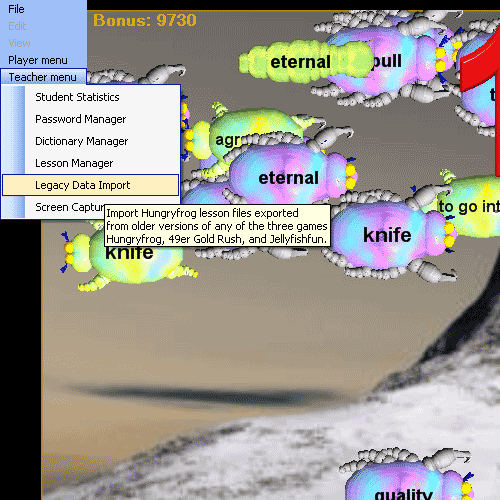
The Teacher Menu Legacy Data Import menu item in the Hungry Frog Spanish language software program allows you to import saved Spanish study lessons and Spanish vocabulary word lists from older software versions. You can import from other language games including the Spanish language software game, Homeric Greek language software, French language software, Spanish language software, Italian language software, and Spanish language software of any of the Hungry Frog series, Jellyfishfun series or 49er Gold Rush series games older than v6.0 software.
Teacher Menu | Legacy Data Import:
Clicking on the Teacher Menu in the Spanish program brings up the import dialog box:
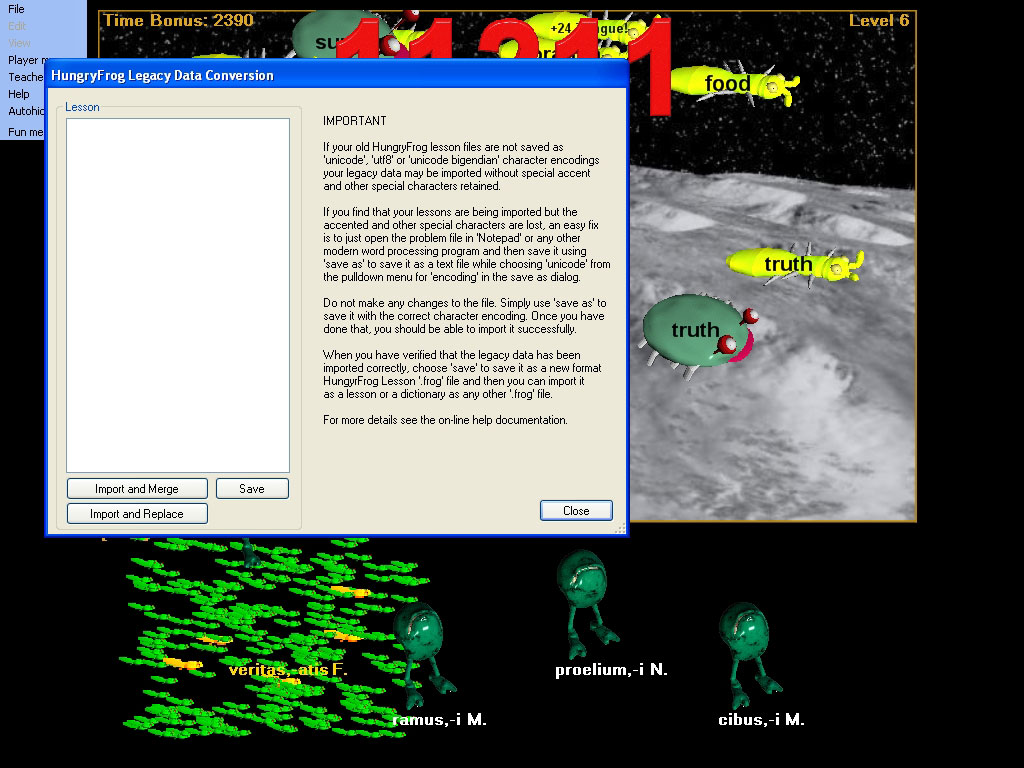
'Import and Merge' button - imports and immediately merges the chosen Spanish study lesson file or previously exported Spanish dicitonary from a version of software older than v6.0 software.
'Import and Replace' button - imports and immediately replaces a saved Spanish study lesson file or exported Spanish dictonary from a version of software older than v6.0 software.
'Save' buitton - save the current imported study lesson data to disk as a v6.0 formatted lesson or dictionary file.
'Close' button - close dialog and exit to game.
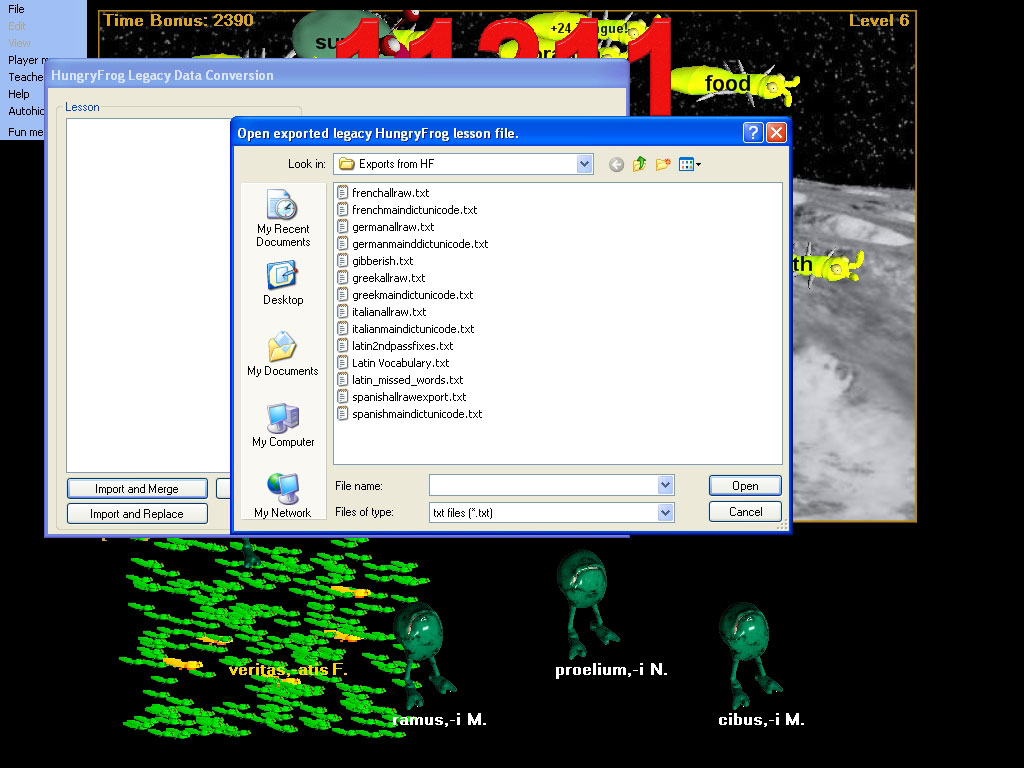
The 'Import and Merge' and 'Import and Replace' buttons are similar, but the first will merge the contents of the imported Spanish study lesson or Spanish dictionary file into the contents of the study lesson you are working with in the dialog. The 'Import and Replace' button will REPLACE the contents of the study lesson you are teaching with the contents of the imported vocabulary lesson or Spanish dictionary file. Clicking on either will immediately call up the Open File dialog.
As explained in the Legacy Data Import Dialog box in the screen captures, for language games which use any special characters (Spanish software, French Software, Spanish Software, Hoomeric Greek Software, Italian Software), you must have the old style lesson or dictionaries saved as 'uni-code' text files or the equivalent. The 'uni-code' format is pervasive and readily available if you just open and resave the file with Windows Notepad. Some of the very old Hungryfrog software versions did not save lesson files as uni-code in the same format as used today because it was not yet a standard. If you homeschool Spanish study unit has been around for a long time, you may not have all your existing lessons as uni-code text format, for example. For security reasons which relate to the protection of your Windows operating system operational safety, these special characters are now processed differently and they will be lost (not imported) if you have not prepared your lessons or dictionaries as uni-code using today's standards. You do not need the entire school IT department to accomplish this, however.
Hungryfrog Education Software
|
Hungryfrog User Community Participate in the Hungry Frog Education Software User Community to share your lessons and ideas with others and to report program bugs and suggest improvements to the PC computer software and the free Java applets at the web site. |
This is not so hard as it sounds! For example, for the Hungryfrog Spanish software program, all you need to do is open any of your old saved Spanish study lesson files or previously exported Spanish dictionary files that you would like to import in NotePad (the little Windows Accessory application) and then save it right back to disk again being careful to select 'uni-code' as the type of file you are saving. Then all you need to do next is to use the v6.0 software Legacy Data Import feature. If you are having problems, you can email your lesson files to sales(at)hungryfrog.com and we can convert them for you and mail them back again.
Note that your legacy data files must have the extension of '.txt' to be imported. Once you have chosen a legacy file to import, click the 'Open' button, and you will be asked for a name of the new imported lesson.
Hungryfrog Spanish language software game import lesson name dialog:
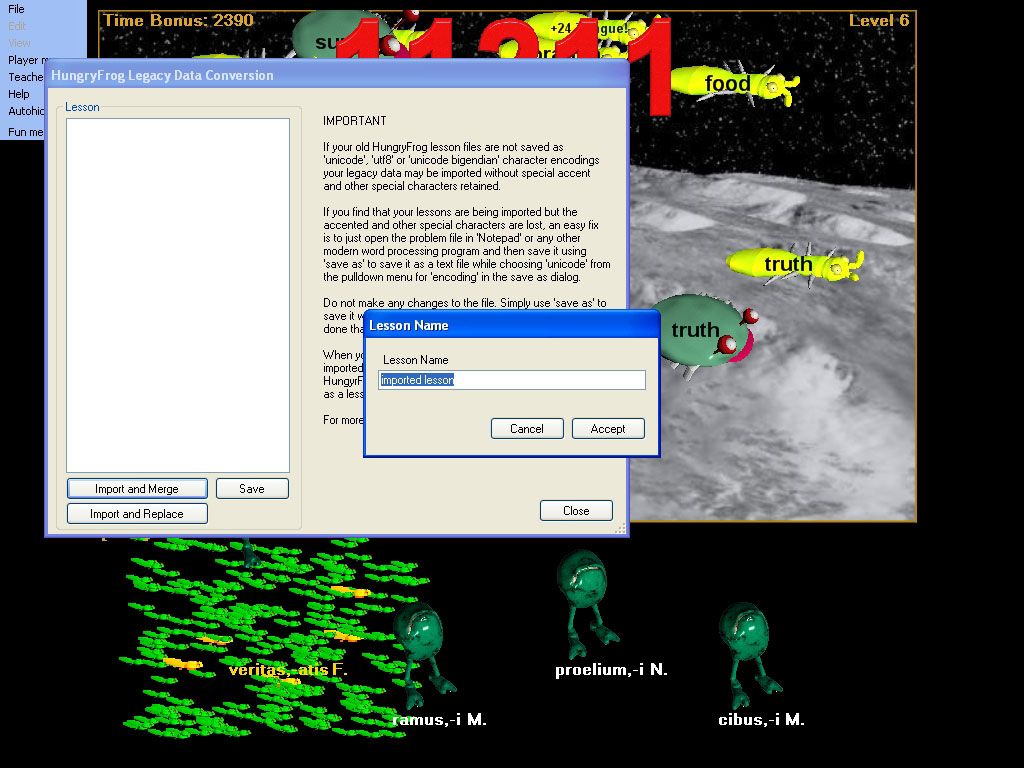
Choose a name for the imported Spanish study lesson or Spanish dictionary and click the 'Accept' button, and the program will process the legacy file and present the Spanish vocabulary of the newly imported lesson in the 'Lesson' list box for your verification that it is as you expected. You can always tweek it afterwards using the Spanish Dictionary manager.
Example French Software legacy data has been imported to the Hungryfrog Spanish language vocabulary game:
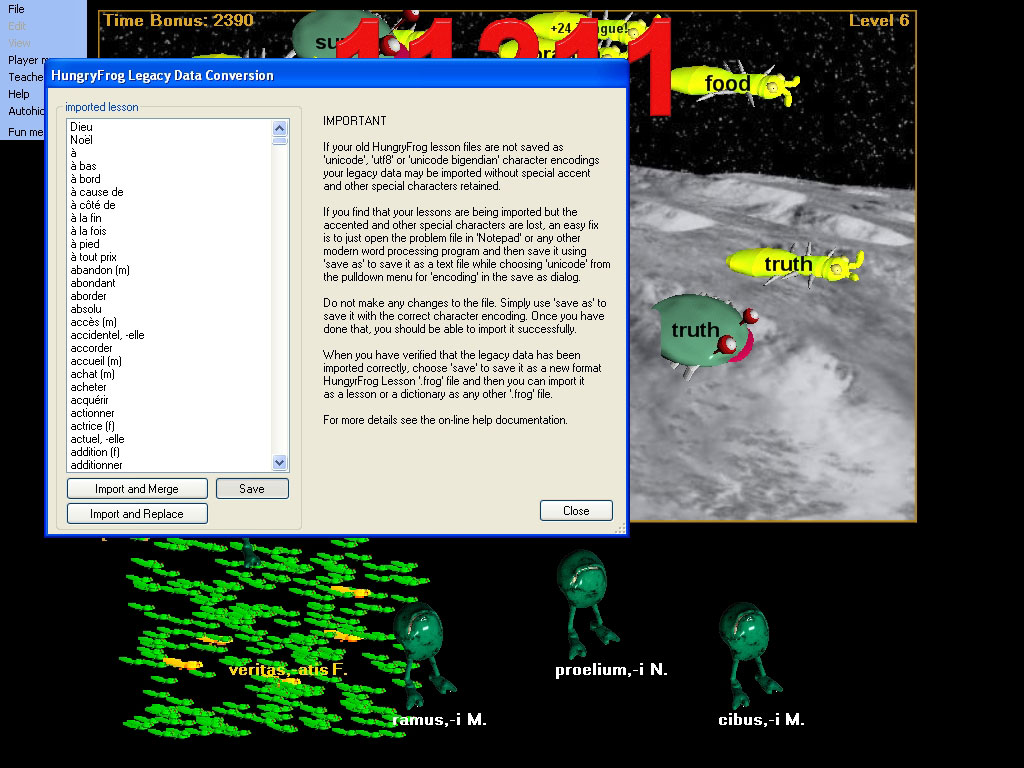
In this example screen capture sequence the French language vocabulary word lists from a previous version of the French software program was imported. The game running during the import was the Hungryfrog Spanish game. The imported word list is sorted alphabetically so the capitalized French vocabulary words are first displayed in the list first (capitalized words always come first in the sorted list) followed next by the alphabetically sorted remainder of the imported French vocabulary. NOTE: Because the list is sorted alphabetically when it is presented it is possible for you sometimes to complete an 'Import and Merge' in which the imported language vocabulary word list is merged into the existing list list but is not in the top of the scrollable list view. All the imported and merged words appear low down in the alphabetically sorted list by coincidence, and it can appear not to have been imported at all. Use the scroll bar in the language lesson vocabulary list box to verify that your merge has taken place correctly.
When you are fully satisfied with the final contents of your imported or merged-imported lesson and you are ready to save it to disk, click the 'Save' button.
Save the French language game vocabulary list which was imported:
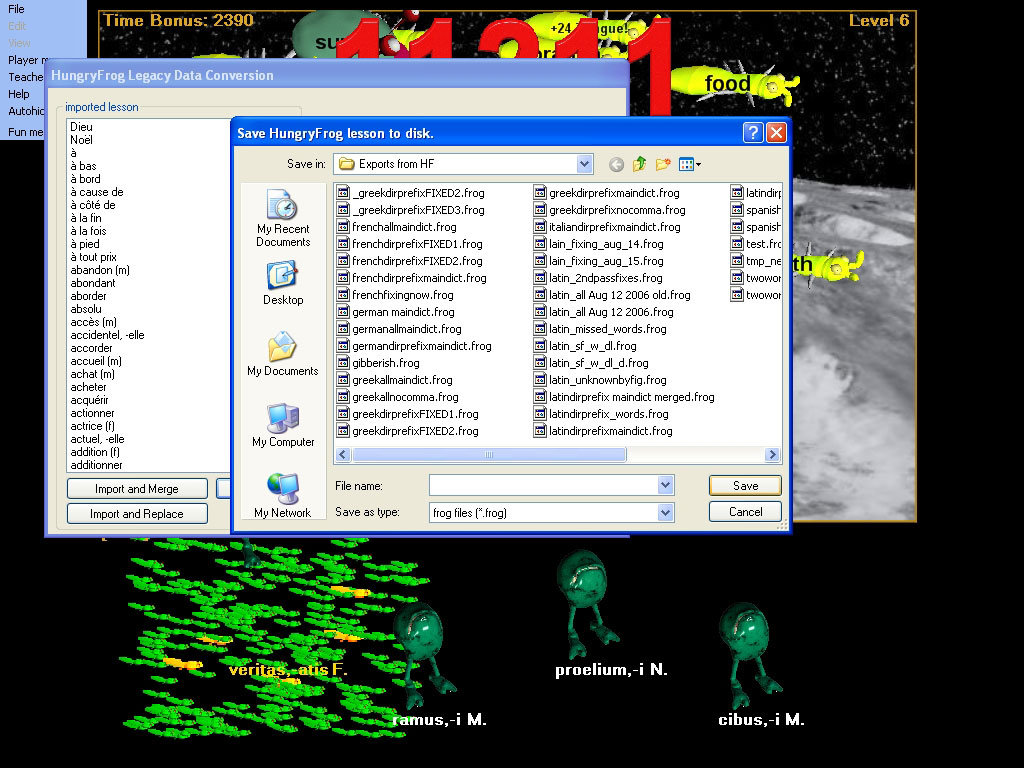
Pick a file name for your imported lesson vocabulary word list and click the 'Save' button. The study lesson file will be saved as a '.frog' extension file which you will now be able to import either as a lesson file or as a dictionary file. You can share it with your other teachers in your homeschool Spanish teaching group, or with other teachers and/or students in your school. You can also email it to your Spanish homeschool compatriots, for example.