
Clicking on the Hungryfrog Spanish game 'Basic Options' menu item brings up the Basic Options dialog box:
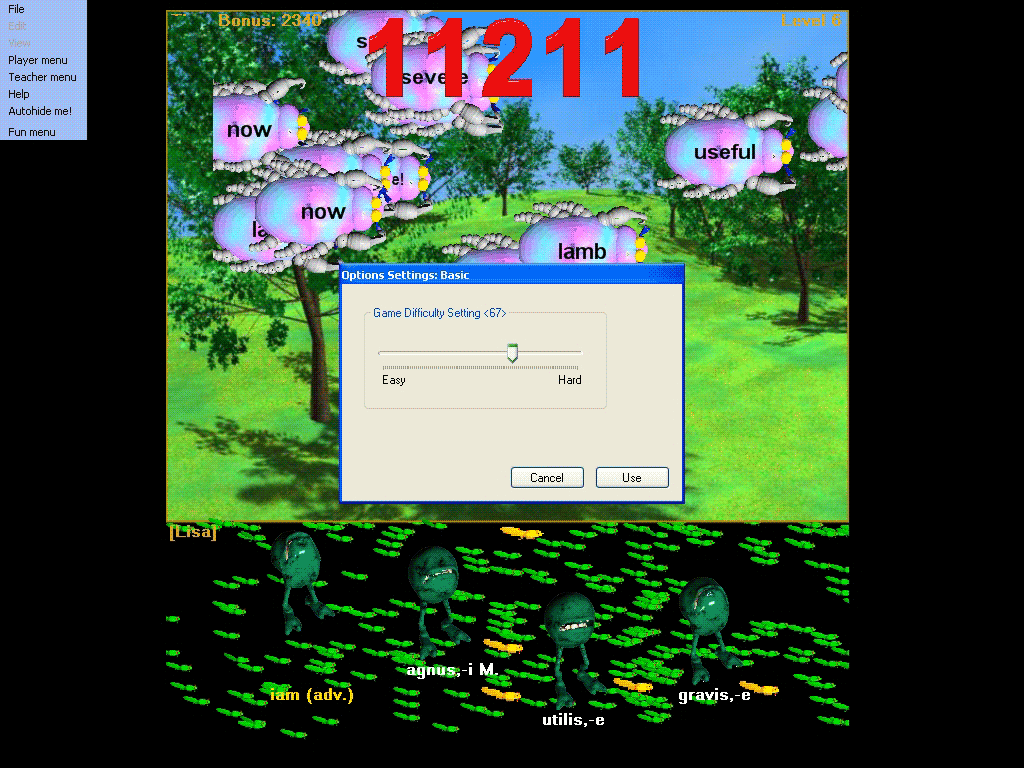
The Player menu item 'Basic Options' in the Hungryfrog Spanish software program allows for quick and easy changes to game difficulty settings with a one-click approach to changing settings.
Player Menu | Basic Options
Clicking on the Hungryfrog Spanish game 'Basic Options' menu item brings up the Basic Options dialog box:
In the Hungryfrog Spanish vocabulary software program for Windows, this is the simplest approach to changing the game settings. All you do is move the 'Game Difficulty Setting' sliderto the left or to the right in order to make the game easier or harder and the Hungry Frog Spanish software program automatically readjusts all the parameter set in the Advanced Options menu for you. The Hungry Frog software basic options sider does this without you having to use the Advanced Options features at all. Because the Advanced Options tabbed dialog box and Basic Options menu both change the same game parameters (think of Basic Options as an automatic way to readjust play difficulty settings and Advanced Options as a manual means to readjust settings), if you modify the Basic Options slider position you also change the parameters you adjust at a finer level of detail in the Advanced Options dialog and visa versa.
Basic Options Slider Value: If you want to quickly reset the Hungry Frog game options to the same settings as previously used, you can just drag the Basic Options Slider while watching the number displayed above it (in the screen shot '67') and put it back to the same number you were using before. This will automatically set the game settings back to the same as the last time you set the slider at that number.
Hungryfrog Spanish software program advanced Options also lets you save and restore all of your advanced parameter settings. See the Advanced Options page for details.
The Hungry Frog program default settings are intended to work well for most users in homeschool Spanish and K-12 Spanish classes for most moderate sized Spanish lessons to practice. You can change all of the settings used in the game yourself, if for any reason you prefer to modify them. You may find for any number of reasons that you prefer to change settings. The best way to determine which settings choices you prefer is to experiment playing the games using a wide variety of different settings. You may find, for example, that on a very large computer display with lots of screen real estate to work with it is better for you to increase difficulty settings or to tweek the number of bugs you see on screen at a time. See the Hungry Frog Spanish language display settins portion of the Advanced Options menu page. The program does some automated adjustment based upon things like the size of your display, but you are the final judge of what suits you best.
Hungryfrog Education Software
|
Hungryfrog User Community Participate in the Hungry Frog Education Software User Community to share your lessons and ideas with others and to report program bugs and suggest improvements to the PC computer software and the free Java applets at the web site. |
Warning that options have been changed since last viewing in Hungry Frog Spanish vocabulary game:
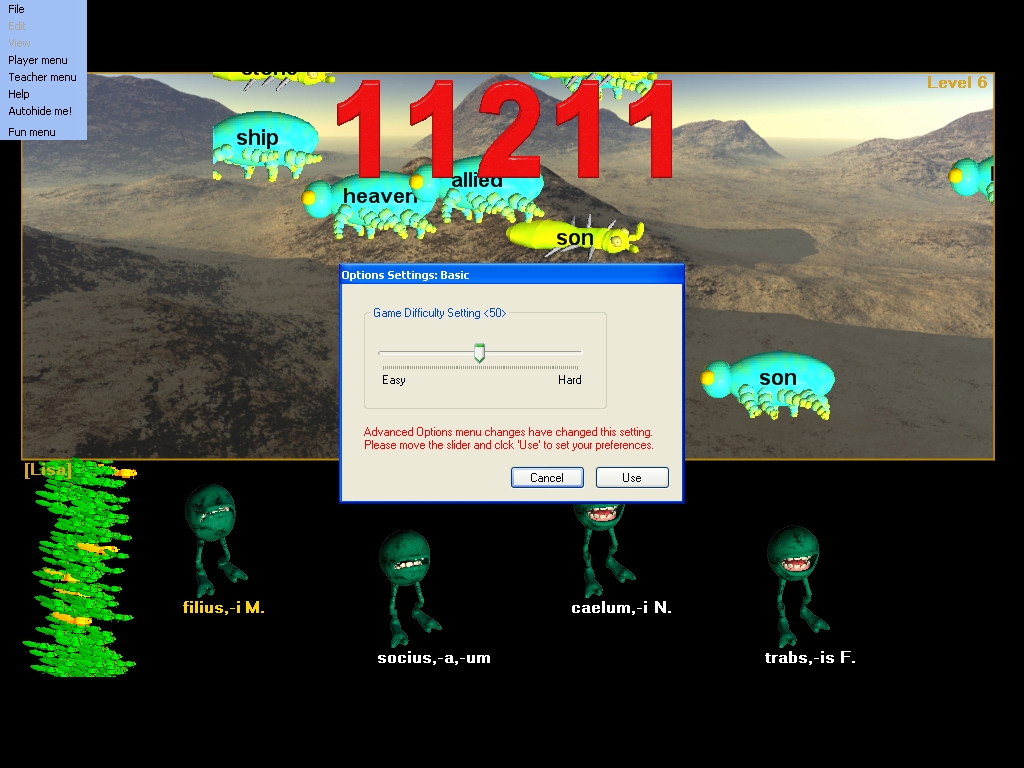
The following screen captures sequence for the Hungry Frog Spanish software program shows a progress of screen captures from the Spanish learning game where play goes from easy to hard for Level 3 difficulty of play.
Changing Basic Options settings on a small display for a Level 3 game of Hungry Frog Spanish:
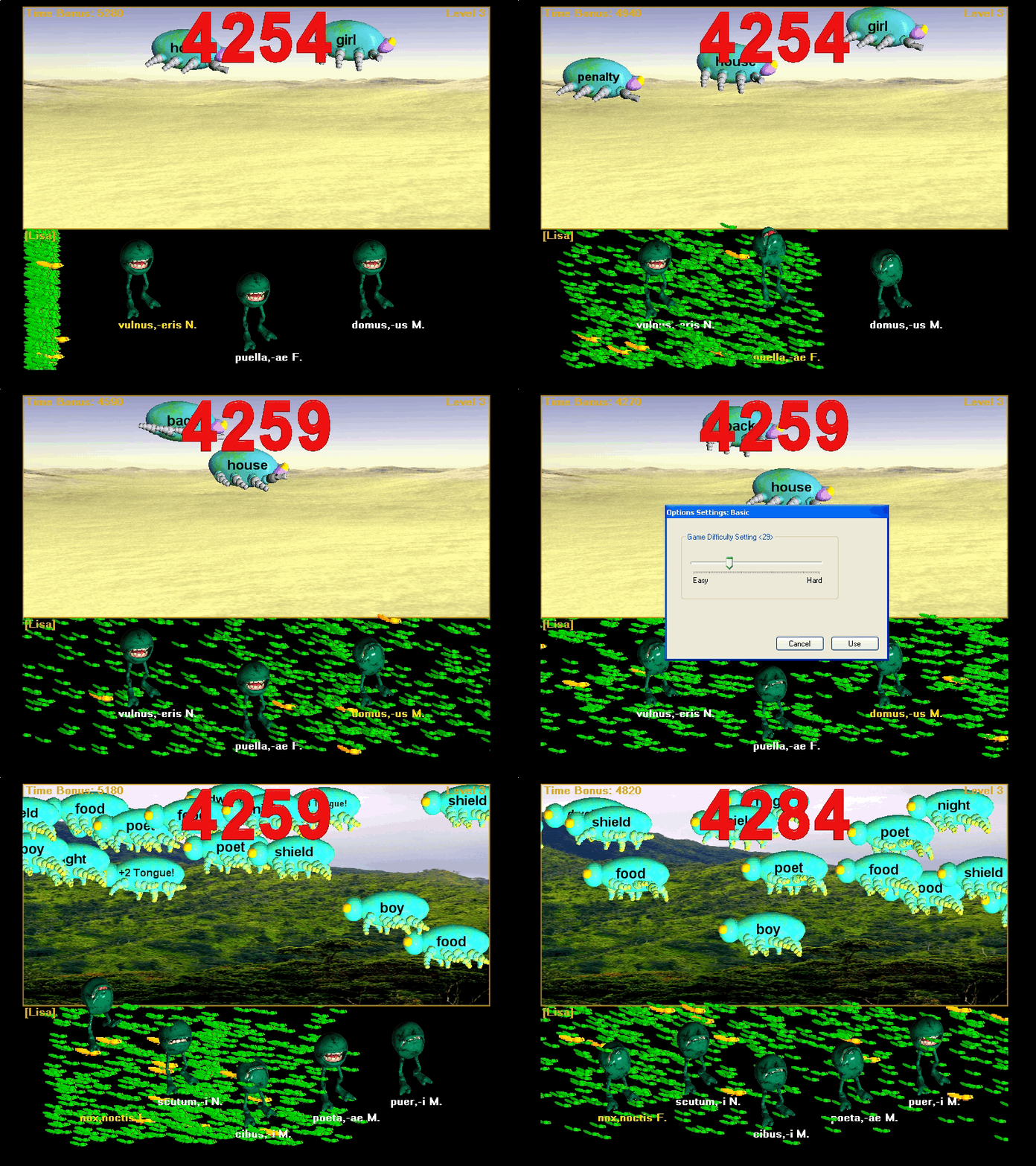
The change in the difficulty settings all take place at the Level 3 level of difficulty, effectively making Level 3 more equivalent to a higher level of play.
Easy settings on a larger size computer display playing Hungry Frog Spanish language software program:
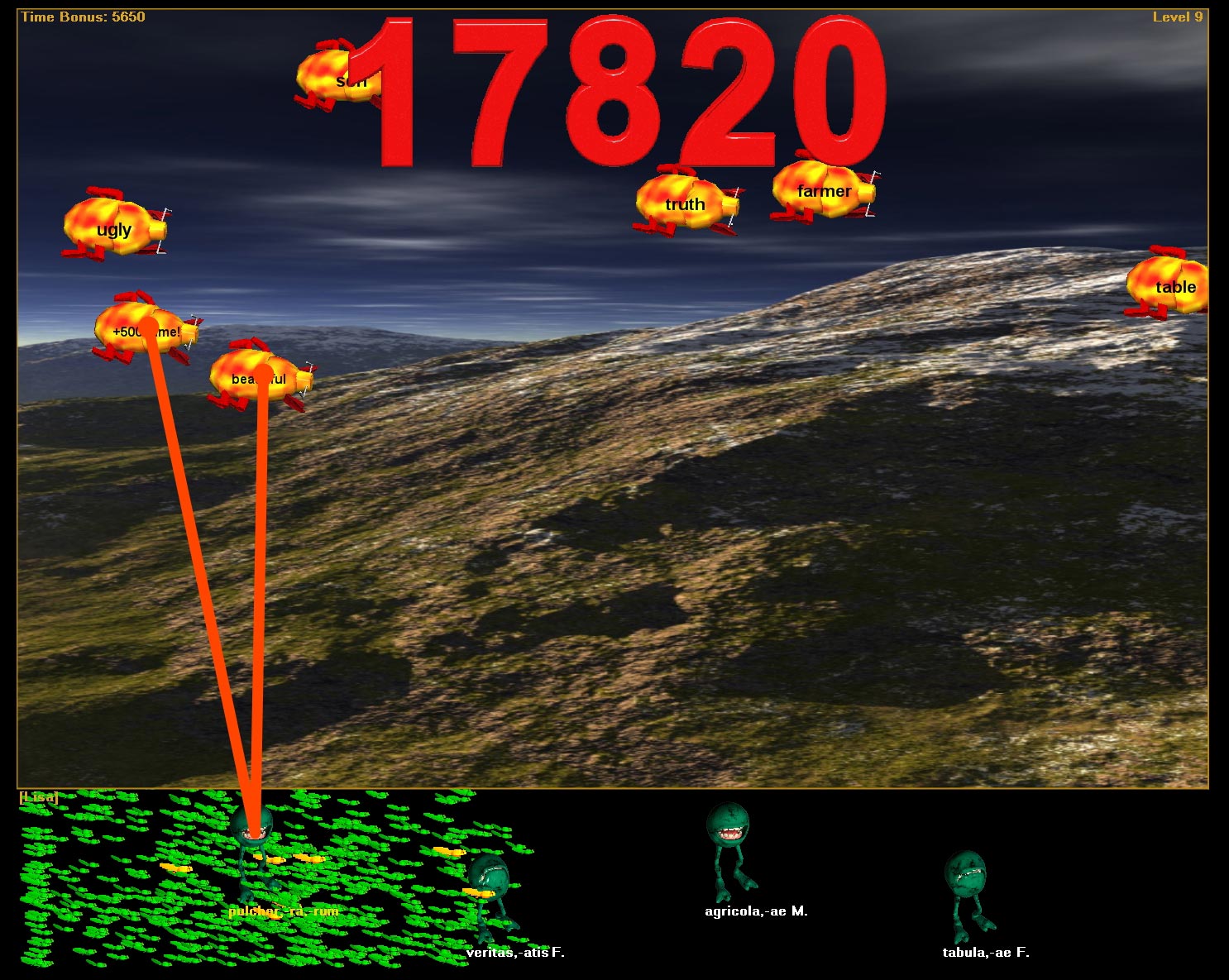
Changing the settings on the same game to medium hard in the same Hungry Frog Spanish lesson:
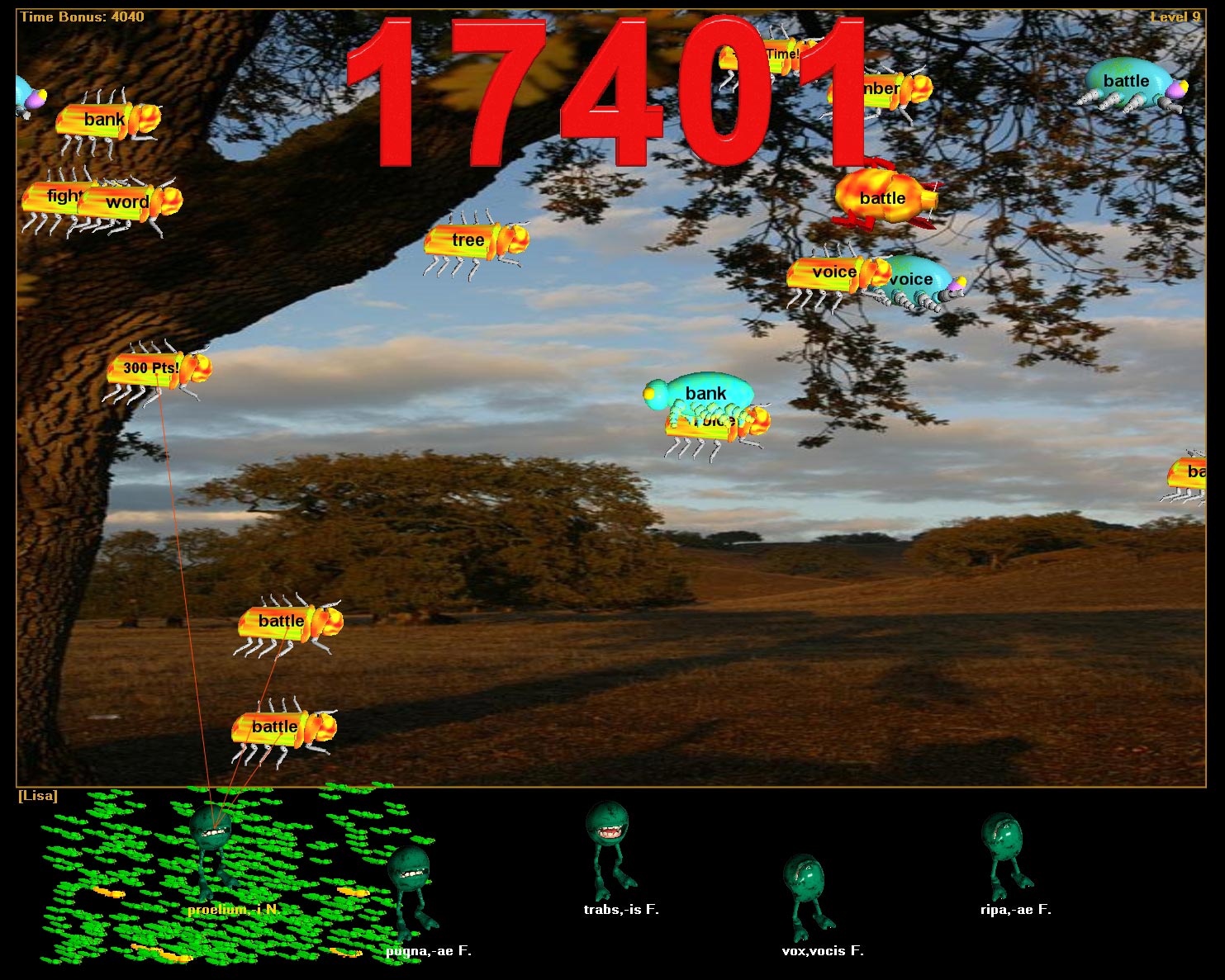
Changing the settings even harder still in the same Hungry Frog Spanish lesson:
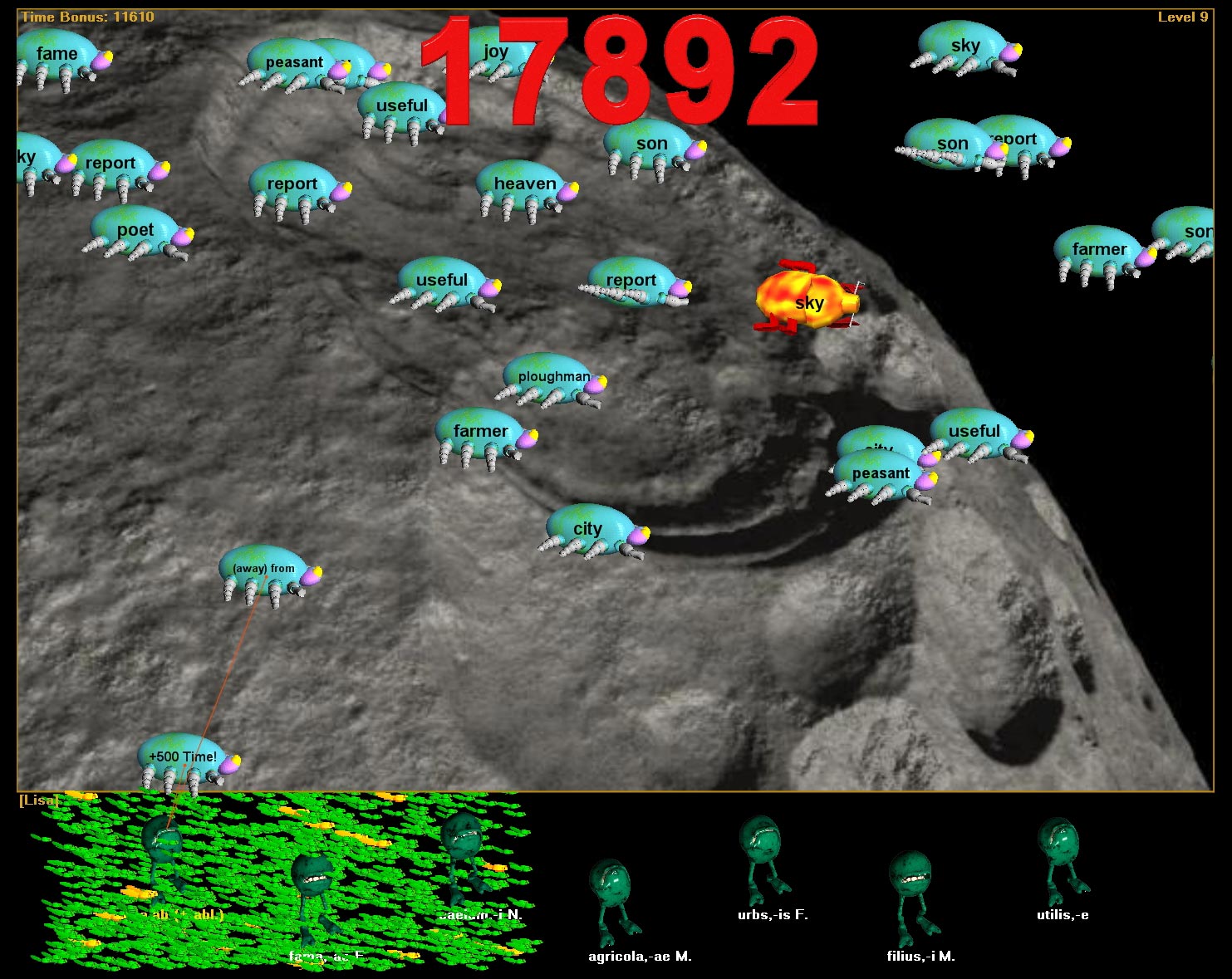
From these sample screen captures, you can see that on a larger display area, there is always much more space for bugs to move even on the more difficult settings. The reverse is true for smaller screens, and for smaller screens you may want to either keep the game difficulty setting a little lower or change the Bug Density slider in the Advanced Options | Display to keep the display area from becoming too crowded. If you play on too small of a screen size, you may find that the Spanish words can get a little crowded at higher levels of game play.